

In the tutorial that we will follow is shown how to model a metallic chain in Autodesk Maya, or a similar object, and wrap it around another object, perhaps a pole, following a curve. A very detailed and easy to follow exercise for users who already have a good knowledge of Maya.
Related Posts
01
Dec2012
Create Elegant, Glassy, 3D Typography in Photoshop
In the tutorial we are going to follow, we will demonstrate how to create elegant 3D glass texts using Adobe Photoshop and Adobe Illustrator graphics programs. Feel free to apply…
16
Nov2012
Create a Fantasy Character in Adobe Illustrator
The tutorial that we’re going to see is the process of creating a fantasy illustration created with Adobe Illustrator CS3. This lesson uses dynamic painting, so you will need to…
29
Jan2013
Create a Great Looking ‘Toon’ Shader in 3ds Max
In this video tutorial you will learn how to create a beautiful cartoon-style scene using the Ink & Paint material available in 3D Studio Max. The exercise will cover the…
14
Jan2017
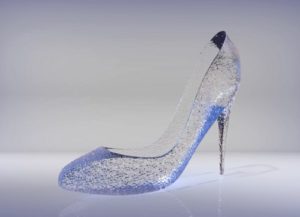
Modelling a Cinderella’s Glass Slipper in Maya 2017
Un bel video tutorial da ‘favola’ che mostra come realizzare la famosa scarpetta di cristallo di Cenerentola 3D utilizzando il programma di modellazione poligonale Autodesk Maya 2017. Una lezione completa…
12
Mar2015

Create a Stylish Vector Hair Text in Illustrator
Così nel tutorial che andremo a vedere viene mostrato come creare un elegante scritta con dei capelli in Adobe Illustrator CS5. La lezione si completerà con una rapida colorazione dando…
04
Oct2014

Render Short, Detailed Hair in Adobe Illustrator
Si potrebbe pensare che i capelli lunghi erano i capelli più difficili da disegnare con Illustrator. Secondo l’esperienza di molti i ritratti vettoriali con capelli corti e ricci richiedono più…
